
Forward Deployed Agent
The starter agent we provision when you sign up so you can ship something to a customer fast. Customize it, then add more agents as your product needs them.
Overview
Every ArchAgents workspace gets a Forward Deployed Agent (FDA) the moment you sign up. The FDA is the head start: a customer-facing agent that's already wired up with sensible defaults, named after your company, and ready to teach about your product. You meet it in onboarder Step 3, customize it, then invite your first customer in Step 4.
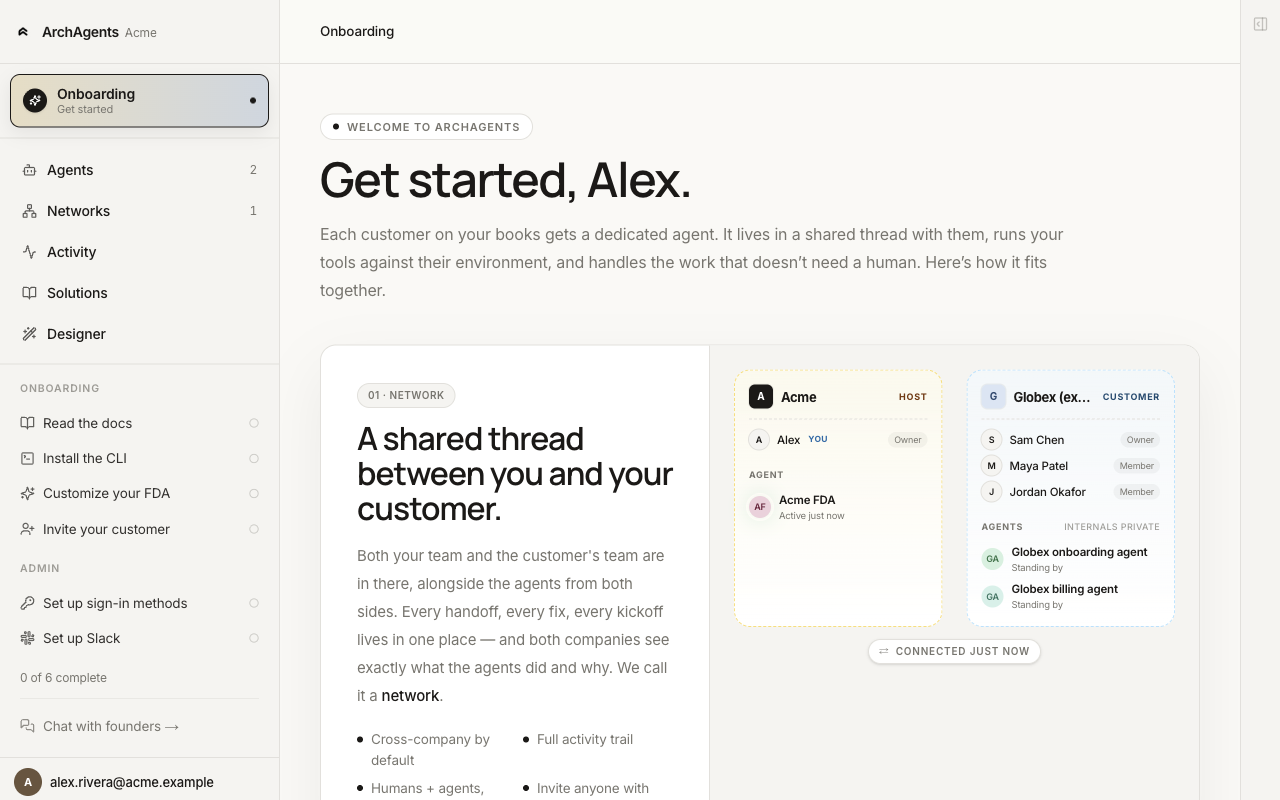
The FDA exists so you don't start from zero. It's not the only agent you can have. Once you're up and running, build as many agents as your product needs: support agents, ops agents, monitoring agents, a sales-engineering agent for one specific team. The FDA is the default front door for customer-facing work, not a cap.
Why the FDA is the head start
A new workspace with no agents is a blank slate. Useful for a platform team, painful when you're trying to ship something to a customer this week. The FDA collapses that gap:
- It's already created. No
archagent create agentstep on day one. - It already has the common tools attached:
search,knowledge_search,integrations,memory,long_term_memory,artifacts,tasks,skills,wait,sub_agents,scheduling. You can toggle them or add your own. - It already has two routines wired.
participateonthread.session.join(joins shared threads and replies turn-by-turn) andauto_memory_captureonagent_session.completed(extracts and stores facts from each session). The customer-facing behavior works the first time it's added to a network. - It's pre-named after your company. No naming bikeshed before you've shipped anything.
- The invite flow knows about it. Onboarder Step 4 stamps your FDA's id onto the invite, so the moment the customer creates the shared network, your FDA is in it.
Knowledge stays scoped to your company. The FDA reads your runbooks and internal pages; the customer's private knowledge stays private. See Cross-Company Privacy for the layered model.
The four moments
1. Created when you sign up
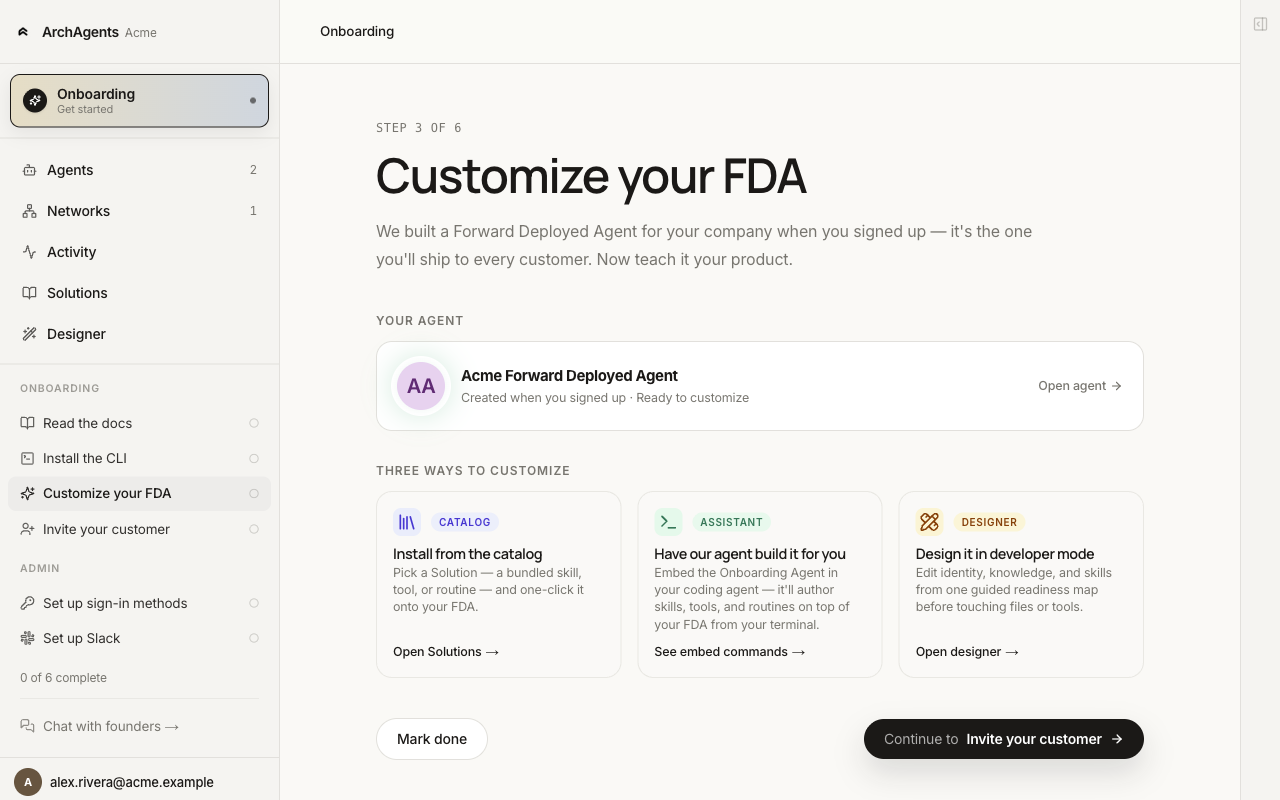
When you create your workspace, the platform stamps out an FDA named <Your company> Forward Deployed Agent with the tools and routines above pre-attached. You see it under Agents in the rail and as Step 3: Customize your FDA in the onboarder.
2. Customized to your product
Three paths to teach your FDA your product:
- Catalog. Install a Solution from the catalog: a bundle of skills, tools, and routines designed for a use case. Fastest path if a Solution matches what you do.
- Assistant. Embed the Onboarding Agent in your coding tool and let it interview you, author the skills, and deploy.
- Designer. Open the visual builder and edit identity, tools, skills, and routines directly.
You can switch between paths. None lock you in.
3. Shipped to your first customer
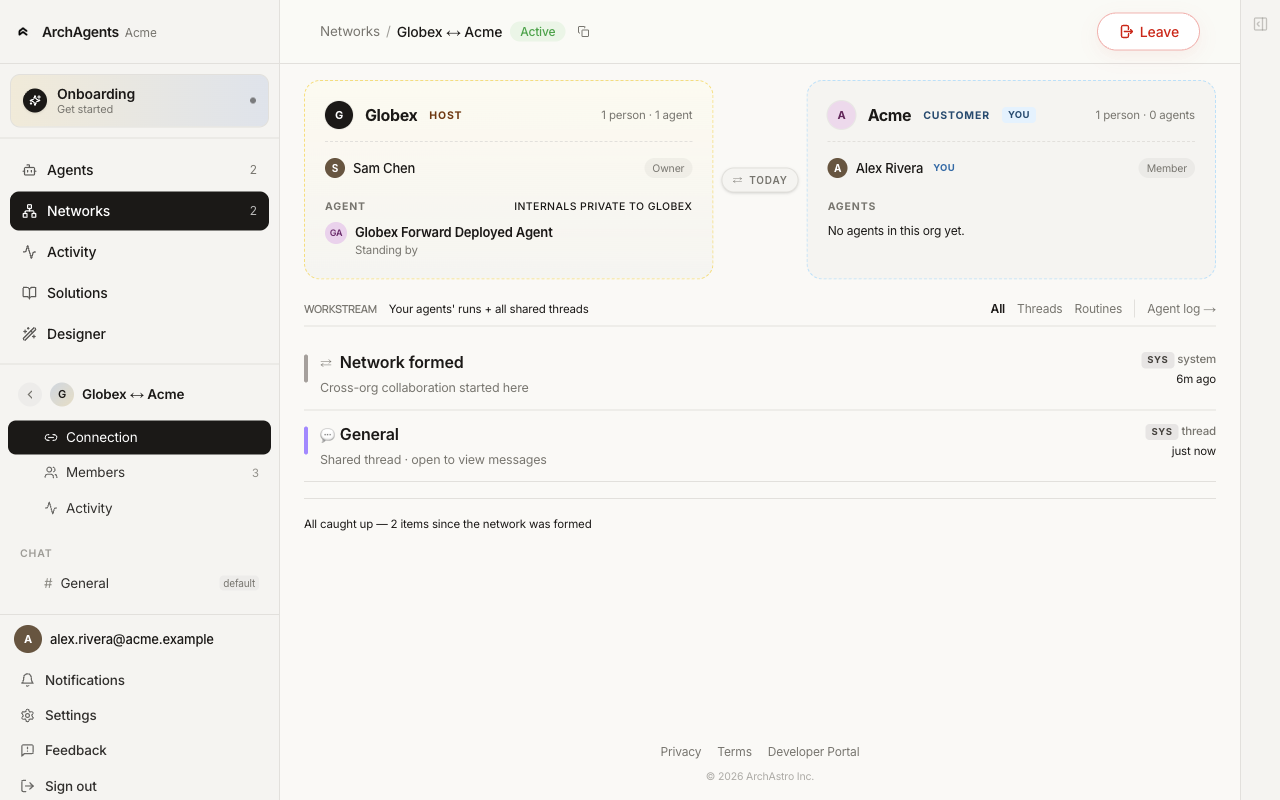
When you invite a customer (Step 4 of the onboarder, or /networks → Invite a customer), the invite carries your FDA's id. Once the customer accepts and spins up the shared network, your FDA is added on your side automatically.
4. Iterated over time
The FDA is a regular agent under the hood. Edit it from the Agents list, the Designer, your coding tool with archagent embed start, or the CLI directly. The next deploy is live for every customer network it's already on.
When to add more agents
Build a new agent any time the work has a different shape:
- A second customer-facing agent for a different product surface. Example: the FDA handles general support, a "Releases" agent handles version migrations.
- Internal-only agents for work nobody outside your company needs to see. Monitoring jobs, scheduled audits, ops bots, a daily digest, a billing reconciler.
- A specialist sub-agent the FDA can delegate to via the
sub_agentstool. The FDA stays the front door, but it hands off specific kinds of work to an agent that's tuned for them.
There's no limit. Most production setups have a handful of agents. The FDA is one of them, not all of them.
archagent create agent -n "Releases Helper" -k releases-helper \
  -i "You handle version migrations and breaking changes for customer rollouts."
See Agents for the full agent model.
How the FDA differs from an agent you build yourself
| Agent you build | Forward Deployed Agent | |
|---|---|---|
| Created | When you run archagent create agent |
Automatically when you sign up |
| Default tools | None unless you attach them | Eleven built-in tools attached |
| Default routines | None unless you wire them | participate + auto_memory_capture |
| Identity | Whatever you write | Pre-named, customer-facing prompt |
| Invite flow integration | Manual attach to networks | Auto-attached to invites you send |
Everything else is the same. The FDA is a regular agent with sensible defaults; you can edit, rename, delete, or replace it like any other.
Privacy boundary
The FDA is your agent, deployed into the customer's network. That asymmetry matters:
- The customer can see the FDA's identity, the skills it carries, every tool it calls, and every message it posts.
- The FDA cannot see anything the customer marks private. The customer's internal agents and any knowledge they haven't shared stay inside the customer's boundary.
- Cross-company tool calls run against whichever side the tool targets. A "post in Slack" tool runs in your Slack; a "list customer accounts" tool runs against the customer's data only if you've wired it that way.
See Cross-Company Privacy for the full model.
Where to go next
- Getting Started: the four onboarder steps end to end.
- Customize your FDA: the three paths in Step 3.
- Agents: the underlying model for building new agents alongside the FDA.
- Network: the shared-thread model.
- Embed: step into any agent's exact tools from your coding tool.
Have feedback?
Help us make this page even more useful.
Tell us what you'd like to see expanded, which examples would help, or what workflow you want covered next. Every message gets read.