
Designer
Visual editor for agent templates, scripts, skills, and workflows. Same workspace your terminal sees, but with a file tree and an editor instead of vim.
Overview
The Designer at /designer is the visual editor for everything that lives in your project workspace: agent templates, scripts, skills, workflows, and configs. Same workspace your CLI sees. Changes auto-save so you can flip between Designer and archagent mid-edit without losing work.
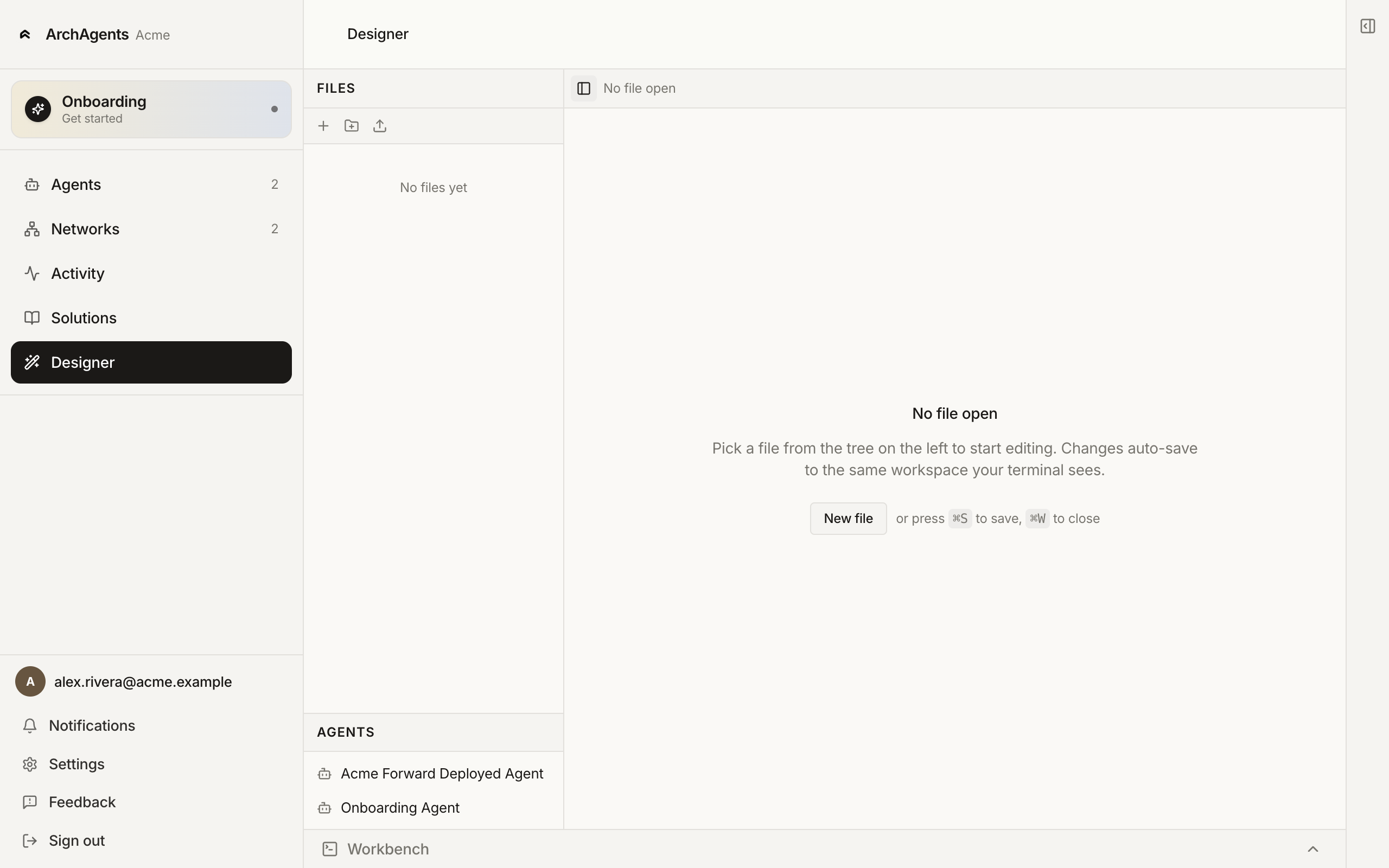
The Designer is one of three paths to set up your customer agent (see Set up your customer agent). It's also useful for any later edit you'd rather make by clicking than by typing.
What you can edit
Every ArchAgents config is a YAML file with a kind: field that says what it represents: AgentTemplate, Script, Skill, WorkflowGraph, CustomObject, and so on. The Designer opens any of them. The file tree on the left shows your workspace; the Agents panel underneath lists the agents in your org so you can jump to a template by clicking its name.
Common kinds you'll edit:
AgentTemplate: identity, instructions, attached tools, routines.Script: script language source.Skill: reusable instruction bundle.WorkflowGraph: multi-step orchestration.CustomObject: typed data records the agent reads and writes.
How edits flow
The Designer auto-saves to the same workspace your terminal sees. There's no separate "save" + "deploy" split inside Designer; the editor writes and the CLI's archagent deploy is what ships the change. The keyboard shortcuts visible in the empty-editor state are ⌘S (save) and ⌘W (close file).
To ship changes, run archagent deploy configs from your terminal in the same workspace. The Workbench panel docked at the bottom is the local script harness; expand it to run a script, inspect its output, or watch routine runs against the change before you deploy.
When to use Designer vs CLI vs Assistant
| Surface | Best for |
|---|---|
| Designer | Editing one template at a time, visual review of structure. |
| CLI | Bulk operations, scripted workflows, anything you want versioned in git. |
| Assistant (Onboarding Agent in your coding tool) | Authoring new agents from a plain-language description. |
All three share the same workspace files. Jump between them mid-edit.
Where to go next
- Set up your customer agent: Designer in context as one of three paths.
- Agents: the agent template format Designer edits.
- CLI: the terminal equivalents.
Have feedback?
Help us make this page even more useful.
Tell us what you'd like to see expanded, which examples would help, or what workflow you want covered next. Every message gets read.